
Skip to content
PSW Energy
PSW Energy
Actions
Build my energy plan
See the system take shape before pricing
Get a quote
Fast-track a written price
Contact sales support
Bibra Lake · Neerabup
Pages
Solutions · choose a starting point
Add more solar
Solar now, battery later
Solar and battery
Add a battery
Charge your car
to select↑↓ to navigate K anytime

PSW Explains

Enphase IQ Gateway (Envoy) WiFi reconnection with the Enlighten app

Keep the Enlighten app signed in and your home WiFi password ready. Setup uses the gateway's temporary network; password errors and missing hotspots have separate troubleshooting steps.

PSW Energy · Editorial illustration
In this article

Applies to: Enphase IQ Gateway/Envoy using the Enphase Enlighten mobile app.
Estimated time: 5–10 minutes
You’ll need: Enlighten app (signed in), physical access to the gateway, your home Wi‑Fi name & password.

Quick start

Step‑by‑step

1. Put the IQ Gateway in AP Mode

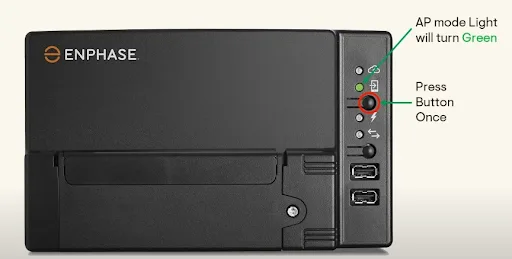
  • On the gateway, press the AP Mode button once.
  • Confirm the AP Mode LED turns green—this broadcasts the temporary Wi‑Fi you’ll use for setup.

2. Open Enlighten and find the Wi‑Fi config

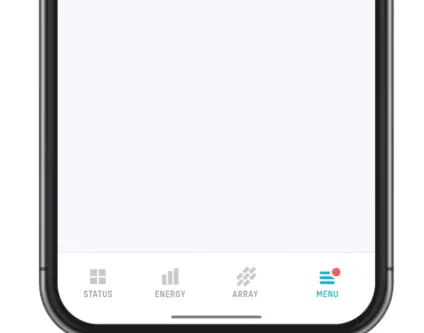
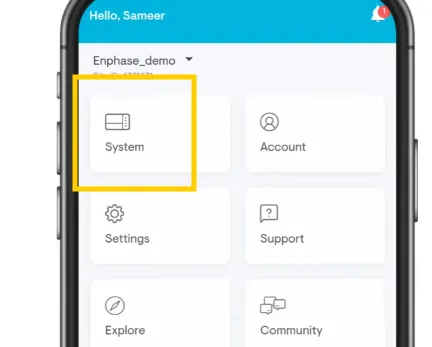
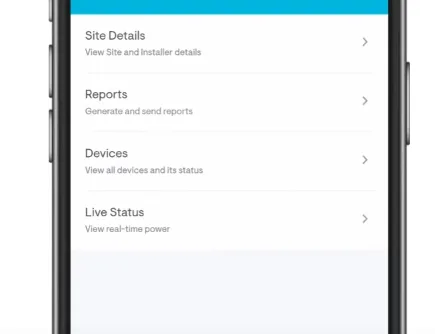
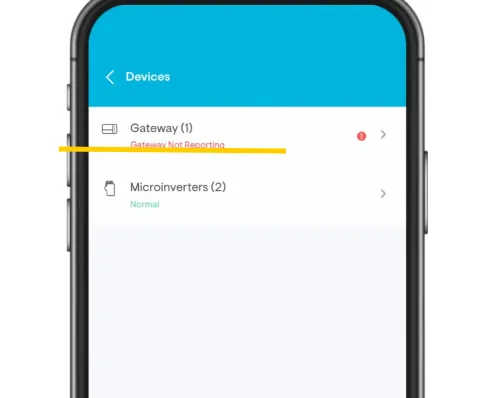
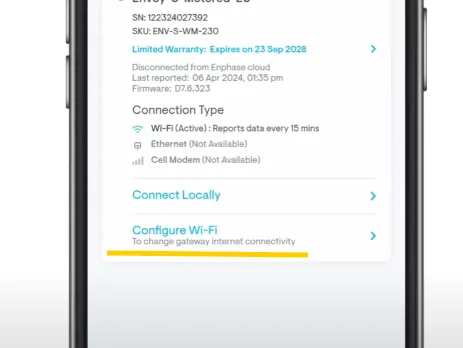
  • In Enphase Enlighten, go Menu → System → Devices → Gateway → Configure Wi‑Fi.

3. Join the gateway’s temporary Wi‑Fi

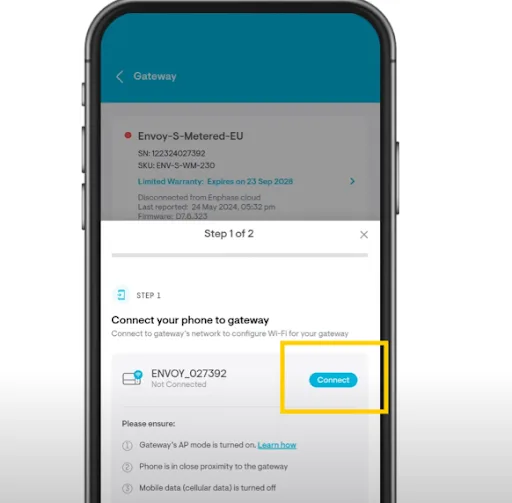
  • In your phone’s Wi‑Fi settings, select ENVOY_XXXXXX.

4. Tell the gateway your home Wi‑Fi

  1. Return to the app and press Connect.
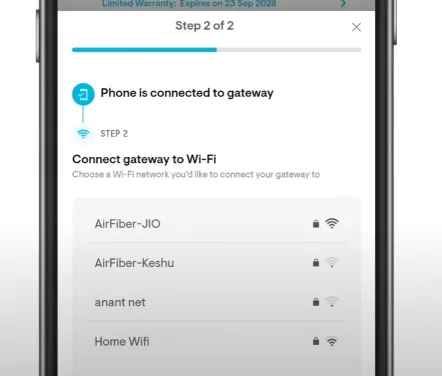
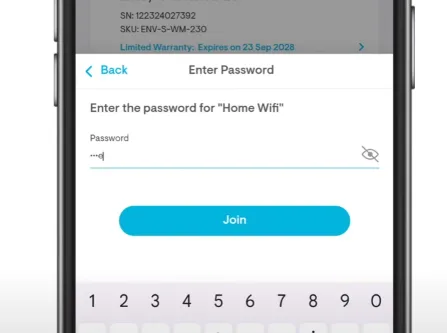
  1. When prompted, select your home Wi‑Fi, enter the password, then tap Join.
  2. Done: The Gateway Wi‑Fi LED turns solid, indicating a successful connection.

Troubleshooting & tips

  • Don’t see ENVOY_XXXXXX? Press the AP Mode button again and stand closer to the gateway.
  • App doesn’t connect after you join ENVOY_XXXXXX: Manually switch back to the Enlighten app, then tap Connect again. Some phones auto‑switch away from networks without internet.
  • Password errors: Re‑enter your home Wi‑Fi password carefully.
  • Band compatibility: Many gateways prefer 2.4 GHz Wi‑Fi. If your router combines 2.4/5 GHz under one name and connection fails, try a dedicated 2.4 GHz SSID or temporarily split the bands.
  • Still failing? Repeat the sequence from AP Mode → Join ENVOY_XXXXXX → Connect in app.

Frequently asked questions

The Enphase Enlighten app: Menu → System → Devices → Gateway → Configure Wi‑Fi.

The gateway broadcasts ENVOY_XXXXXX during AP Mode.

The Gateway Wi‑Fi light turns solid after you Join your home network.

PSW Editorial publishes practical guides to solar, batteries and home energy for Western Australian households. We explain how systems work, what to check before buying and what changes in policy or product support mean for your home. Our aim is to help you compare options, understand the trade-offs and ask useful questions before making a decision.

More from PSW Editorial Talk with PSW